Key takeaways
- Choose Skiddee for illustrated explanations built around your script. It plans scenes, creates illustrations, adds AI narration, and assembles a downloadable video.
- Consider Powtoon for a broader production workspace. Its toolkit combines AI generation with editable presentations, animation, and media.
- Compare the work after the first draft. The useful question is how you want to refine your video: by directing generated scenes or by arranging the presentation yourself.
You have a good explanation sitting in a document. Your audience has twelve open tabs and approximately one spare minute. Time to give those words something worth watching.
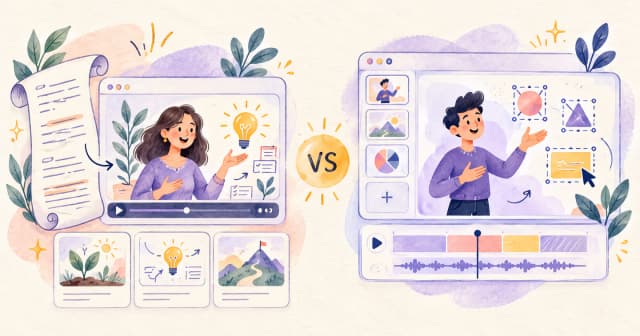
Skiddee and Powtoon can both help, but they suit different creative habits. This guide compares their workflows, output, editing, and costs so you can choose a tool for the video you actually want to make.
How we compared them: This is a feature and workflow analysis by the Skiddee team, based on current Skiddee product behavior and Powtoon's official product and pricing pages, reviewed September 9, 2026. The example below is illustrative, not a timed head-to-head test. Recommendations reflect our assessment of fit; they are not measured speed or engagement results.
Skiddee vs Powtoon at a glance
| What matters | Skiddee | Powtoon |
|---|
| Core approach | Generate a narrated illustrated video from a transcript | Create videos and presentations with AI and editing tools |
| Starting material | Your written explanation or script | Documents, decks, URLs, prompts, or templates |
| Visual approach | Generated scene illustrations with progressive reveals | Animation, presentations, footage, and avatar formats |
| Creative control | Script, voice, visual settings, and AI-assisted scene revisions | Scene composition, media, timing, and presentation editing |
| Natural fit | Concept explainers, illustrated lessons, faceless storytelling | Branded presentations and varied business-video formats |
| Main trade-off | Less direct control over individual visual elements | More production choices when you use the editor |
Powtoon's Anything-to-Video overview describes both automated drafting and subsequent scene refinement. Its main product page covers its templates and wider creative toolkit.
What makes Skiddee different?
Skiddee starts with the explanation. You supply a transcript, choose a voice and illustration style, and generate a video with narrated scenes. Within a scene, visual elements appear progressively alongside the narration.
That format gives an idea room to unfold. A lesson about the water cycle can introduce the sun, then evaporation, then clouds, rather than present every detail at once. The creative job is deciding what the viewer should understand at each moment.
You can revise the script and settings, use the project AI assistant to request scene changes, and regenerate affected output. Skiddee's editing revolves around the content and generated scenes; it is not a general-purpose drag-and-drop animation canvas. Generated artwork can still need correction, especially when an explanation depends on precise labels or visual relationships.
For a walkthrough of the starting process, see how to turn a script into a video.
What does Powtoon do well?
Powtoon offers a wide range of building blocks: animated characters, templates, stock media, screen recording, AI voiceover, and avatars. Its drag-and-drop controls let you arrange visual elements, while branding options support reusable company styles. Availability depends on the plan. See Powtoon's product overview.
It also automates more than a traditional template editor. Anything-to-Video can turn source material into a draft, then let you adjust scenes, visuals, and timing in Studio. That makes it worth considering when your starting point is a document or presentation rather than a finished narration. See the official generation workflow.
The appeal is flexibility. If your brief involves several formats, or your final scene needs careful arrangement, an editable workspace earns its place.
One lesson, two creative paths
Imagine making a short lesson: “Why does a plant need sunlight?”
Your opening might be: “A plant can't order lunch. It has to make its own.” Then you explain how sunlight helps it turn water and carbon dioxide into sugars, with oxygen released in the process. One idea, a small smile, and a useful explanation.
In Skiddee: build around the narration
Write the words you want spoken, choose a friendly voice and a storybook illustration style, and generate. Review how the scenes and reveals communicate the lesson. Does the light reach the leaf at the right moment? Are water and carbon dioxide represented clearly? Does the ending reinforce the main idea?
If a scene misses the point, request a revision and review the regenerated result. The work stays close to the explanation. You are deciding what the picture needs to teach.
In Powtoon: shape the presentation
For this hypothetical lesson, you could start with its AI workflow or a template, then refine an animated presentation. A cartoon teacher beside a plant diagram might suit your audience. Direct editing becomes useful if you want to place the sun, label an arrow, or control a particular visual beat. Powtoon documents this draft-and-refine approach in its animated explainer workflow.
Neither approach guarantees an accurate lesson. Check the science, listen to the narration, and remove decorative details that compete with the explanation. A dancing leaf is delightful. Six dancing leaves might be a meeting.
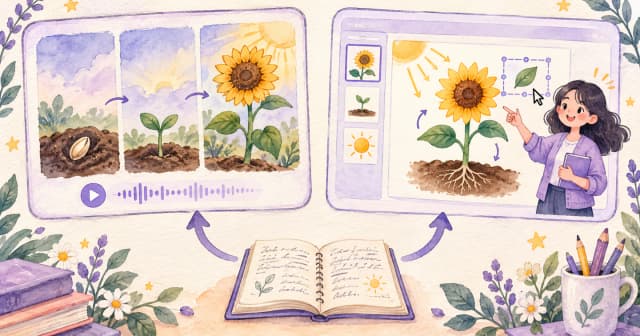
Concept illustrations, not product screenshots or outputs from a comparative test.
Which is easier for beginners?
Our assessment: Skiddee is a natural starting point when you already have a script and want an illustrated result. Its workflow avoids requiring you to lay out each frame. You still need to review the output, but your first decisions are familiar: what to say, how it should sound, and what it should look like.
If you enjoy arranging visual elements yourself, Powtoon's broader controls may suit you better. Familiarity matters: someone who regularly builds presentations may prefer that process to directing generated artwork.
Try this before choosing: write down the three edits you would most likely request. “Explain this more simply” and “change the illustration style” suggest a different workflow from “move this shape beside that label.” Choose around those edits.
New to scripting? Our explainer video guide helps you turn a large topic into one clear message.
How do pricing and free options compare?
Skiddee: Eligible new accounts receive 1,500 free credits. Paid options include prepaid credits and monthly plans. Free-user videos carry a Skiddee watermark; paid eligibility unlocks removal. Generation and revisions can consume credits, so the allowance is not a promise of a fixed number of finished videos. Check the current options in your account before buying.
Powtoon: Its public pricing page lists a free plan with a watermark, 720p quality, and a three-minute limit. Lite is advertised at US$15 per month, billed yearly: US$180 for the year. It lists five watermark-free exports per month and 300 AI credits renewing yearly. These are separate allowances. Confirm the current offer and checkout total on Powtoon's pricing page, as plans and promotions can change.
Do not compare credit counts as if they were the same currency. Each product meters different work. Instead, budget for one finished video: initial generation, likely revisions, the required export, and any subscription commitment. Then repeat that calculation for your expected publishing schedule.
Which should you choose?
| Your next project | Our recommendation |
|---|
| An illustrated explanation from a finished script | Start with Skiddee |
| A series of narrated, faceless stories | Start with Skiddee |
| A lesson where visual ideas appear alongside narration | Start with Skiddee |
| A presentation you want to arrange element by element | Consider Powtoon |
| A brief that specifically calls for an avatar or screen recording | Consider Powtoon |
| A company workflow requiring shared brand assets and approvals | Evaluate Powtoon's enterprise offering |
Powtoon describes its enterprise brand and review features in its official platform overview. Confirm the relevant plan before treating those features as part of a purchase.
For educators, the decision starts with the lesson. An illustrated explanation is useful when the visual can build a concept alongside your words. For a software walkthrough, showing the actual interface may be more useful. Our guide to making educational videos explores that planning step.
For faceless creators, Skiddee is worth trying when you want a repeatable illustrated format without filming yourself. Start with one strong script and a consistent style, then review whether the result fits your channel. If you are adapting written content, read how to repurpose blog posts into videos.
Try your next explanation in Skiddee
Bring a short script about something your audience asks you all the time. Choose a voice, pick a visual style, and see how it translates into an illustrated video. Review it for clarity before expanding into a series.
Eligible new accounts receive 1,500 free credits. Your first subject does not need to be epic. “Here is the thing everyone gets wrong” is often a very good beginning.
FAQ
Is Skiddee a Powtoon alternative?
Yes, for narrated illustrated explainers and faceless storytelling. It is a focused alternative for that job. Check the comparison above if you also need a presentation editor or other production formats.
Can Powtoon generate videos with AI?
Yes. Its Anything-to-Video tool generates drafts from source material and supports further editing. Your choice should account for the output and revision workflow you want.
Can I edit a Skiddee video after generation?
Yes. You can change the transcript and settings, request scene revisions through the AI assistant, and regenerate affected output. This differs from manually positioning every object on a canvas, and provider-backed regeneration can use credits.
Which is better for educational videos?
Skiddee is a good fit for narrated concepts and stories that benefit from progressive illustration. Consider a presentation-oriented workflow when the lesson needs direct layout control. Accuracy, pacing, and a clear learning objective matter whichever tool you choose.
Are the free options watermark-free?
No. Skiddee applies a watermark for free users. Powtoon's free plan also includes its watermark. Check paid eligibility, export limits, and the current terms before planning a branded deliverable.
Sources
- Skiddee — public workflow, illustration examples, and free-credit offer; supplemented by current Skiddee product documentation for revisions and watermark behavior.
- Powtoon product overview — creative tools and enterprise capabilities.
- Powtoon Anything-to-Video — supported inputs, AI drafting, and editing workflow.
- Powtoon plans and pricing — free-plan restrictions, annual billing, exports, and AI credits.
Product pages reviewed September 9, 2026. Features and offers may change.
About the author
Lorena Casillas — Growth at Skiddee. She is part of the team behind Skiddee, an AI tool that turns scripts into illustrated animated videos.