Key takeaways
- There are four realistic ways to turn a script into a video, and AI illustrated video is the only one that's both fast and custom to your words.
- An AI illustrated video tool runs the whole job in six steps, paste to export, in minutes instead of the full day a talking-head edit can take.
- Illustrated video with Skiddee runs as little as ~$1.20 per minute of video on a monthly plan, far below the hundreds-to-thousands an editor charges.
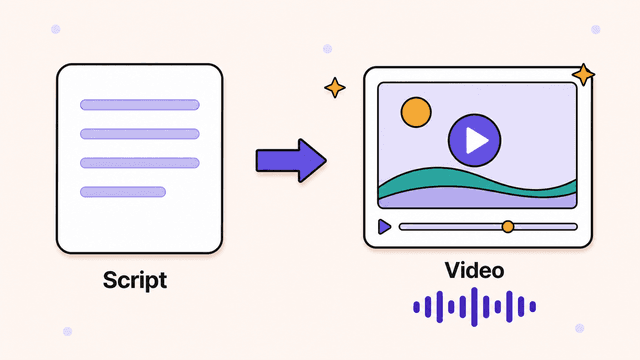
You can turn a finished script into a polished, watchable video without a camera, an editing suite, or a narrator-for-hire by prepping the words for the ear and handing them to an AI illustrated video tool.
You wrote the script. The hard thinking is done. Now you're staring at a wall of text, wondering how it becomes something people watch. This guide shows how to turn a script into a video, from prepping the words so they work on screen to picking a tool to clicking export. No camera, no editing suite, no narrator-for-hire.
Most people get stuck right here. The writing felt doable. The production feels like a different job, because it usually is. So before you sink a weekend into learning timeline editing, let's lay out the realistic paths and pick the fastest one that still looks good.
First, make the script work on screen
Before you produce anything, tighten the script for the ear, not the eye. Spoken language is shorter, blunter, and more rhythmic than written language, so a script that reads well on the page can fall flat the moment it's spoken over visuals. A few edits up front save you from re-recording later.
A few things matter more than people expect:
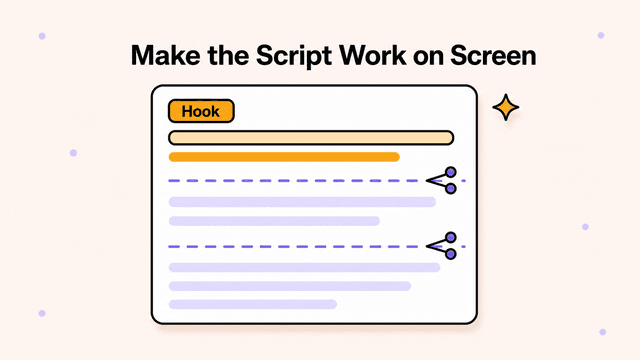
- Open with a hook. The first 5 seconds decide whether anyone stays. Skip the throat-clearing intro ("Hi everyone, in today's video..."). Start with the tension or the payoff: "Most people set their prices wrong, and here's the exact mistake."
- Write in scene-sized chunks. Break the script into beats, roughly one idea per 1-3 sentences. Each beat becomes a scene with its own visual. If a paragraph covers four ideas, it needs four visuals, so split it.
- Read it out loud. If you trip over a sentence, your narration will too. Shorten it. Cut clauses. Replace "utilize" with "use."
- Mind the pacing. Use the live duration estimate below the script editor to check the effect of the script length and selected audio speed. Long videos are a bigger ask of the viewer.
No script yet? Write a bullet outline of your main points, then expand each bullet into 2-3 spoken sentences. Resist the urge to sound formal. You're talking to one person, not addressing a conference.
The four ways to turn a script into a video
Once the words are ready, you have four real ways to turn a script into a video. Each trades time, money, and skill differently. Recording yourself is personal but slow; hiring out is polished but pricey; stock tools are fast but generic; AI illustrated video is fast and custom. Here's how they compare.
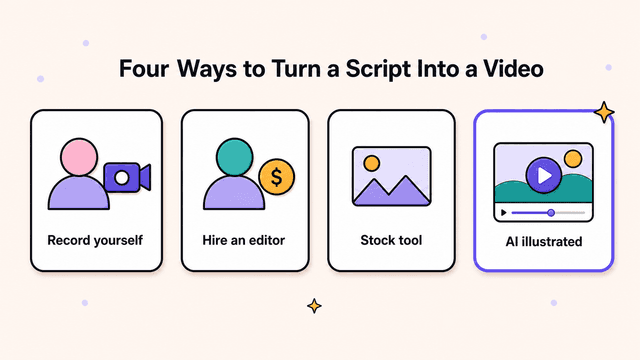
1. Record yourself
Point a camera at your face, read the script, edit the footage. This works if you want a personal connection and you're comfortable on camera. The catch: lighting, audio, retakes, b-roll, and editing add up fast. A 5-minute talking-head video can eat an entire day, and that's before you count the people who'd rather not show their face online. If that's you, starting a faceless YouTube channel is a whole approach worth knowing.
2. Hire an editor or agency
Hand the script to a freelancer or studio and get back a polished video. Quality can be excellent. The downsides are cost ($200 to several thousand per video) and turnaround (days to weeks), plus the back-and-forth of revisions. Fine for a flagship launch video. Painful if you publish weekly.
3. Stock-footage video tools
These tools match your script to clips from a stock library and stitch them together. Fast and cheap, but the result looks like every other stock video online: a generic person typing on a laptop, a sunset, a handshake. The footage rarely matches what you're saying, so it reads as filler. Viewers notice.
4. AI illustrated video
You paste your script, pick a voice and a visual style, and the tool generates custom illustrations for each scene, adds AI narration, and assembles the video. This is the path to a polished result without a camera, an editor, or a stock library that doesn't fit. It's what Skiddee does, and it's the route this guide walks through.
Illustrated AI video beats stock-footage tools on fit. Stock pulls a clip that's roughly in the ballpark. Custom illustration draws the thing you're describing. If your script says "a founder ignoring her churn dashboard," you get an image of exactly that, not a random office b-roll clip.
Try Skiddee free → Skiddee turns each script into a finished narrated video in minutes. Free to try, no credit card.
Step-by-step: turn your script into a video with AI
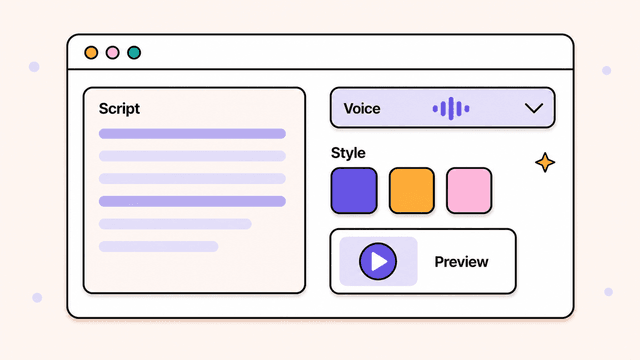
The workflow runs start to finish in six steps: paste the script, pick a voice, choose a style, generate, review, and export. Think of it like a quick storyboard. Each beat of your script becomes a scene, the scenes get illustrations and narration, and the tool stitches them together with transitions.
Step 1: Paste your script
Drop your finished script into the editor. No formatting tricks needed. If you broke it into scene-sized beats earlier, this is where that pays off, because the tool splits the script into scenes along its natural structure.
Script fidelity matters here. Many AI video tools quietly rewrite your words, summarize them, or wander off into their own phrasing. Skiddee sticks to your script word-for-word. What you wrote is what gets narrated, so your hook stays your hook and your call to action stays intact.
Step 2: Pick a voice
Choose an AI narration voice that fits the tone: calm and explanatory, upbeat and punchy, or warm and conversational. The narration comes from your exact script, so the voice reads what you wrote, in order, without ad-libbing. To match a read to your brand, here's more on AI voiceover for videos.
Step 3: Choose a visual style
Select one illustration style for the whole video so it looks consistent: hand-drawn, flat modern, bold and colorful, whatever suits your brand. Every scene gets a custom illustration drawn for that scene's text. Not stock. Not a clip library. Original art for your specific lines.
Step 4: Generate
Click once. The tool creates the illustrations, generates the voice-over, adds transitions, times the visuals to the narration, and assembles the full video. This takes minutes, not days.
Step 5: Review and tweak
Watch it through. If one scene's illustration isn't right, regenerate that scene. If a line of narration needs a different read, adjust it. You're polishing a finished video, not assembling one from raw parts. Done is done on the first pass, not after a week of fixes.
Step 6: Export and publish
Download the finished MP4 and upload it to YouTube, TikTok, your course platform, or your landing page, wherever it's going.
Tips for better script-to-video results
Small habits separate a decent video from one people finish. Keep each scene to one idea, front-load the value, cut narration to the bone, match the style to the topic, and end with a clear next step. The list below expands each one.
- One idea per scene. Cramming three points onto one illustration confuses the eye. Let each visual carry a single thought.
- Front-load the value. Tell viewers what they'll get in the first two scenes. Curiosity buys attention; payoff keeps it.
- Keep narration tight. Cut every word that doesn't earn its place. Dense scripts make for restless viewers.
- Match style to topic. A finance explainer and a children's story want different looks. Pick one that fits, then stay consistent. (If an explainer is what you're building, here's how to make an explainer video end to end.)
- Write the ending on purpose. End with a clear next step: "Subscribe," "try it free," "read the full guide." A video that just stops wastes the attention you earned.
What it costs
AI illustrated video lands far below the alternatives. Recording yourself is "free" until you count your time, and an editor runs hundreds to thousands per video. With Skiddee it works out to as little as ~$1.20 per minute of video on a monthly plan. The free tier gives you 1,500 credits, about 3–4 minutes of video, no card, to test the whole flow. After that, a one-time $15 prepaid pack gets you 4,500 credits with no subscription and credits that never expire, or monthly plans from $29 (Creator $29, Plus $59, Pro $149) if you publish regularly.
Try Skiddee free
Paste a script, pick a voice and a style, and Skiddee builds the finished video for you, no camera and no editing required. Your first 1,500 credits, about 3–4 minutes of video, are on us.
FAQ
How long should my script be for a video?
Use the live duration estimate below the script editor. It counts your words and adjusts for the selected audio speed. If you are not sure how long the video should be, shorter usually wins for online audiences. Tight beats long.
Do I need editing skills to turn a script into a video?
No. With an AI illustrated video tool, you paste the script, pick a voice and style, and the tool handles illustration, narration, transitions, and assembly. There's no timeline editing or footage wrangling.
Will the video stick to my exact script?
It depends on the tool. Many AI video tools rewrite or summarize your text. Skiddee narrates your script word-for-word and won't go off-topic, so your hook, your phrasing, and your call to action all survive intact.
Is AI illustrated video better than stock-footage video?
For most scripts, yes, because the visuals match your words. Stock tools pull generic clips that are roughly related to your topic. Custom illustrations are drawn for each specific scene, so nothing feels like filler.
About the author
Suyin Kee is Co-founder of Skiddee, an AI tool that turns scripts into illustrated animated videos. She writes about faceless video, creator economics, and AI tooling for educators.