Key takeaways
- AI voiceover removes the slowest part of making a video: recording, re-recording, and matching takes. Edit a line, regenerate that line.
- Modern AI voices sound natural enough that most viewers can't tell. The rough spots that remain (odd names, numbers, symbols) are fixable from the script, no SSML required.
- An audio file isn't a video. The real time sink is syncing narration to visuals, which is why a tool that generates both at once beats juggling a separate TTS app and editor.
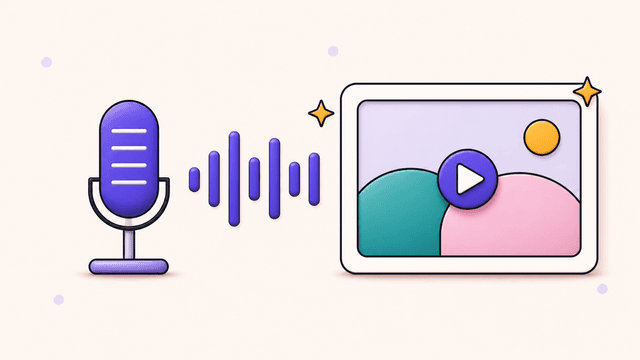
AI voiceover lets you narrate a video without ever touching a microphone, and pairing it with a tool that also builds the visuals is what turns a script into a finished video in minutes.
AI voiceover for videos lets you narrate a video without recording yourself. You write the words, pick a voice, and a few seconds later you have narration that sounds like a person read it. No mic. No booth. No re-recording when you fix a typo. Maybe you hate the sound of your own voice. Maybe your room echoes. Maybe you don't want to do 14 takes to get one clean minute.
This guide covers why creators reach for AI voiceover, what it sounds like now compared to the robot voices you remember, how to write a script that reads well out loud, the mistakes that make good voices sound bad, and how to get from a script to a finished video with both narration and visuals.
Why creators use AI voiceover
Creators use AI voiceover because recording is the slow part of making a video, and removing it removes the bottleneck. The appeal goes well beyond stage fright. A few reasons come up again and again:
- No recording setup. No microphone, no quiet room, no gain levels to fuss over. You skip the whole audio-engineering side of video.
- Consistency. Your voice changes when you're tired, sick, or rushing. An AI voice sounds identical in scene one and scene fifty, and identical next week when you make a follow-up.
- Speed. Edit a line, regenerate that line. No setting up the mic again to fix three words.
- Faceless content. Plenty of channels grow without ever showing a face or using a real voice. AI narration is what makes that format work at scale, and it's the backbone of starting a faceless YouTube channel.
- Languages and accents. Want a British narrator? A calmer, slower read? A different language? You pick a ready-made voice instead of hiring or setting up voice cloning.
For founders explaining a product, educators turning lessons into educational videos, nonprofits with no media budget, and short-form creators shipping daily, the math is simple. The slow step is recording, so cut it.
What good AI voiceover actually sounds like now
Modern AI voiceover sounds natural enough that most viewers can't tell. The voices pause at commas, lift at questions, slow down for emphasis, and breathe in roughly the right places. If your mental image of text-to-speech is a flat GPS voice mangling street names, that picture is years out of date.
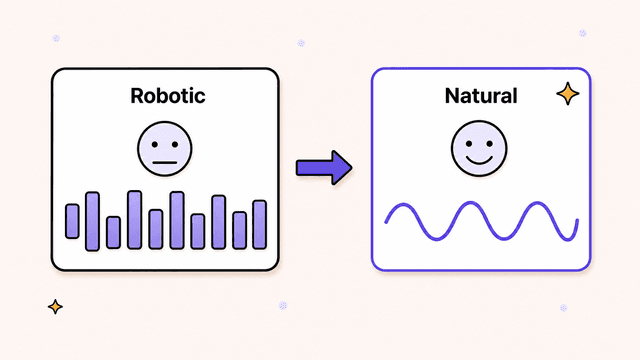
What still trips voices up is context the model can't see. A voice doesn't know "lead" means the metal here and the verb there. It doesn't know your brand name has a specific pronunciation. It reads "$1.20" or "Dr." however its rules say to, which is usually right and occasionally wrong. The good news is that every one of those is fixable from the script, with no SSML tags or technical setup. The next section covers how.
The bar to aim for isn't "indistinguishable from a professional voice actor." It's "clear, warm, and easy to listen to for the length of your video." Today's AI voiceover clears that bar, and your script does most of the work to get it there.
How to write a script that reads well aloud
A script that reads well aloud uses short sentences, plain words, and punctuation as timing cues. A voice can only read what you give it, so most "the AI voice sounds off" complaints are really script problems. Spoken language is shorter and blunter than written language, so write for the ear.
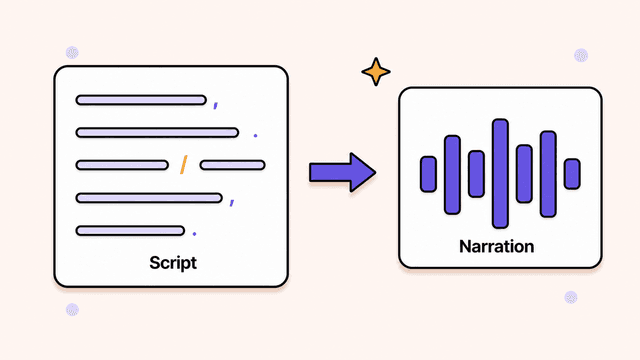
Write the way people talk. Short sentences. Plain words. Read each line out loud yourself first. If you stumble, the voice will too. Swap "utilize" for "use," "in order to" for "to," and cut any clause you added only to sound smart.
Use punctuation as timing. Punctuation is the only direction the voice gets, so use it on purpose:
- A comma is a short breath. Add one where you'd naturally pause.
- A period is a full stop. Break run-on sentences into separate ones for cleaner pacing.
- A question mark lifts the end of the line. Make sure your questions are punctuated as questions.
- An em dash or ellipsis creates a beat. Use them sparingly to land a point.
Spell out anything ambiguous. Write "twenty twenty-six" if "2026" might get read as a number. Write "Doctor" instead of "Dr." if you want the full word. For a tricky name or term, spell it phonetically the way it should sound. You're not dumbing it down. You're removing guesswork.
Mind the pace. Use the live duration estimate below the script editor to check the effect of the script length and selected audio speed. This helps you avoid a long monologue when you intended to make a short video.
Chunk it into scenes. Break the script into beats of one idea each, usually one to three sentences. The narration flows better, and if your tool also generates visuals, each beat gets its own image to sit under.
Try Skiddee free → Skiddee turns each script into a finished narrated video in minutes. Free to try, no credit card.
Common mistakes to avoid
The most common mistake is stopping at the audio file, because a voiceover is not a video. A few other things turn a good voice into an awkward one:
- One giant paragraph. Walls of text get read in one long breathless stretch. Break them up.
- Skipping the read-aloud test. If you never hear your own script before generating, you ship the awkward phrasing straight to the voice.
- Abbreviations and symbols left raw. "etc.", "&", "#", "vs." and currency symbols are coin flips. Decide how you want them spoken and write that.
- Picking a voice that fights the content. A bright, peppy voice over a serious topic feels wrong. Match the voice to the mood.
- Over-punctuating for effect. Three ellipses per sentence doesn't sound dramatic. It sounds hesitant.
- Stopping at the audio file. You still need visuals, timing, and assembly, which is where most workflows fall apart.
From script to a finished video, not just audio
The gap between "I have audio" and "I have a video" is where the time actually goes. You paste your script into a text-to-speech tool, generate beautiful narration, download an MP3, and realize you're only at the starting line. Now you open a video editor, hunt for footage or images, line each clip up to the right line of narration, add transitions, and export. The voiceover took 10 minutes. The video took the rest of your afternoon.
Juggling a separate TTS tool and a separate editor means you become the integration layer, manually syncing two things that were never built to work together.
The cleaner approach is one tool that does both. Skiddee takes your script and produces the whole video: AI voiceover narration plus custom illustrations generated for every scene, transitions, and the assembled final cut. The visuals are tied to your script word for word, so the picture on screen matches what the voice is saying at that moment, without you placing a single clip. For the full walkthrough, see how to turn a script into a video.
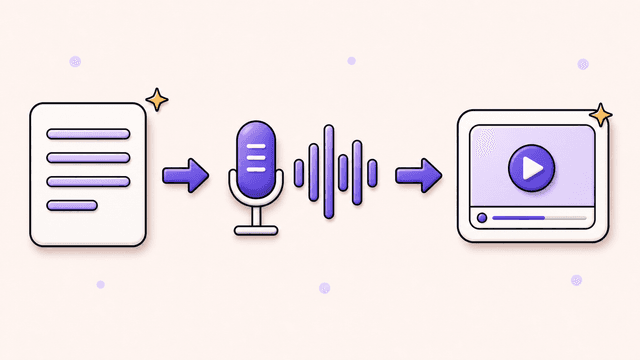
Here's the flow start to finish:
- Paste your script. The same script you already tuned to read well aloud.
- Pick a voice. Choose the tone and style that fits your content.
- Pick a visual style. Skiddee generates custom illustrations per scene to match.
- Generate. It creates the narration, the images, and the transitions, then assembles everything into a finished video in minutes.
- Tweak and export. Adjust a line, regenerate that part, and download.
No mic. No editor. No syncing audio to visuals by hand. Done is actually done.
What it costs
Skiddee runs on credits, and credits never expire. You start with 1,500 free credits, about 3–4 minutes of video, so you can hear the voices and see the illustrations before paying anything. After that, a one-time $15 prepaid pack gets you 4,500 credits with no subscription, or monthly plans from $29 if you publish regularly, which work out to as little as ~$1.20 per minute of video.
Try Skiddee free
Your first 1,500 credits, about 3–4 minutes of video, are on us. Paste a script, pick a voice and a style, and see the narration and illustrations before you pay a cent.
FAQ
Does AI voiceover still sound robotic?
Not the way it used to. Modern AI voices handle pauses, emphasis, and intonation well enough that most viewers can't tell. The rough spots that remain, like odd pronunciations of names or numbers, come from the script. You fix them by spelling things out the way they should sound.
Can I edit the narration after generating it?
Yes. That's one of the biggest advantages over recording yourself. Change a line in the script, regenerate that part, and you're done. No re-setup, no matching your tone from a week ago.
Do I need a separate tool for the visuals?
No, and that's the point. A standalone text-to-speech tool gives you an audio file and leaves the editing to you. Skiddee generates the voiceover and matching custom illustrations and assembles the finished video together, so you skip the separate-editor step.
How long should my script be?
Use the live duration estimate below the script editor. It counts the words in your draft and adjusts the estimate for your selected audio speed, so you can keep the video near the length you intended.
Make your first one
Got a script and no desire to record it? Paste it into Skiddee, pick a voice and a style, and watch it become a finished illustrated video, narration and all. Your first few are on the house.
About the author
Suyin Kee is Co-founder of Skiddee, an AI tool that turns scripts into illustrated animated videos. She writes about faceless video, creator economics, and AI tooling for educators.