
Key takeaways
- One blog post can become a long-form YouTube video plus three or four short clips for TikTok, Reels, and LinkedIn, all from work you've already done.
- The whole conversion takes about an afternoon: pick a proven post, cut it to a 400-to-600-word script, generate the video, then trim the shorts.
- Picking the right tool matters: a video that follows your script word-for-word keeps your argument intact, while generators that pad with stock footage dilute it.
Repurposing a blog post into a video is one of the highest-leverage moves in content marketing because the thinking is already done, you're only changing the format.
You already did the hard part. You researched the topic, made the argument, and hit publish. Then the post got a few hundred reads and went quiet. The same idea, told as a video, could pull traffic from YouTube search, get shared on LinkedIn, and run as a 30-second clip on TikTok. That gap is why you should repurpose blog posts into videos: the thinking is done, and you're changing the format.
This guide covers why blog-to-video is one of the highest-leverage moves in content marketing, which posts are worth converting, how to turn a long article into a tight spoken script, and a workflow that takes you from published post to finished video. By the end you'll repurpose blog posts into videos that keep your original points intact.
Why you should repurpose blog posts into videos
When you repurpose blog posts into videos, one piece of writing starts working across five or six channels instead of one. A blog post lives on organic search to your site. A video built from that same post reaches YouTube, TikTok, Reels, and LinkedIn, each with its own audience, for almost no new creative effort.
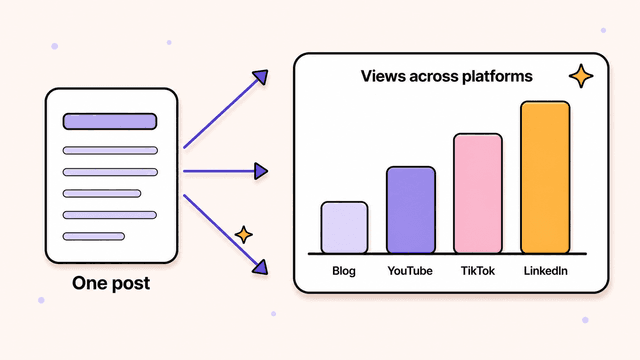
New audiences on platforms that don't read your blog. YouTube is the second-largest search engine on the planet. People type "how to X" into it the same way they Google it. A faceless YouTube explainer video answering that query puts you in front of an audience that was never going to find your written post. The same clip, trimmed down, works on TikTok, Instagram Reels, and LinkedIn.
Better SEO on the post you already have. Embedding a video on your blog page gives visitors a reason to stay. Longer time-on-page is a signal search engines notice, and a page with both text and video holds attention better than a wall of paragraphs. You're not replacing the article. You're adding a layer that makes the existing page stronger.
More mileage per idea. One solid post can become a long-form video for YouTube and three or four short clips for social. That's a week of content from something you wrote months ago.
Most video tools bury your point under stock footage or a generic talking-head avatar, and your blog's argument gets lost. The goal is a video that says what your post said, not a loosely related montage.
Which blog posts make the best videos
The best blog posts to turn into videos are how-to guides, listicles, explainers, and data posts, because each has a clear structure and a payoff a viewer can follow without reading along. Not every post translates, so start with the formats below.
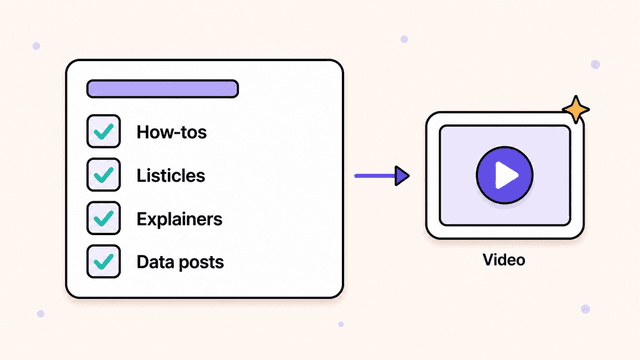
- How-to guides and tutorials. Step-by-step content maps cleanly onto scenes. Each step becomes a moment with its own visual. These also match how people search on YouTube.
- Listicles. "7 ways to..." is already storyboarded. Each item is a scene. Easy to cut into shorts too, one tip per clip.
- Explainers and concept posts. If your post makes one idea click, a video can make it click faster. Illustrations do a lot of the heavy lifting here.
- Data and research posts. Stats and findings are made for visuals. A number on screen with a voice-over reading it lands harder than the same number in a table.
What to skip, at least at first: sprawling opinion essays with no spine, news posts that go stale in a week, and anything that leans on long code blocks or dense screenshots a viewer can't absorb in passing.
If you're staring at your blog wondering where to start, pick your best-performing how-to or listicle. It already proved people want the topic.
How to turn a long blog post into a video script
To turn a blog post into a video script, cut a 2,000-word article down to 400 to 600 words, rewrite it for the ear, open with a hook, and reorder it so it builds in one direction. Writing reads fine on the page but sounds stiff out loud, so the four moves below do the translation.
Cut hard. A 2,000-word post becomes maybe 400 to 600 words of script for a two-to-three-minute video. Keep the spine: the main claim, the key steps, the payoff. Drop the throat-clearing intros, the asides, and the third example that repeats the first two.
Rewrite for the ear. Spoken language is shorter and plainer. Break long sentences in two. Swap "utilize" for "use." Read every line aloud. If you stumble, your viewer will too.
Open with a hook. Your post's intro probably eases in. A video can't. The first five seconds decide whether someone keeps watching. Lead with the problem, a surprising stat, or the promise of the payoff. "Most people set up their pricing page wrong. Here's the fix." Then deliver.
Restructure for momentum. A blog reader scans and skips around. A viewer watches in order. Front-load the value, keep each scene tied to one idea, and end with a clear takeaway or call to action.
Protect your actual points through all of this. A video tool can wander off into vaguely on-topic visuals while your argument gets diluted. Keep the script tight to what you wrote, and make sure that when you turn a script into a video the result sticks to that script word-for-word.
Try Skiddee free → Skiddee turns each script into a finished narrated video in minutes. Free to try, no credit card.
How to repurpose blog posts into videos: the workflow
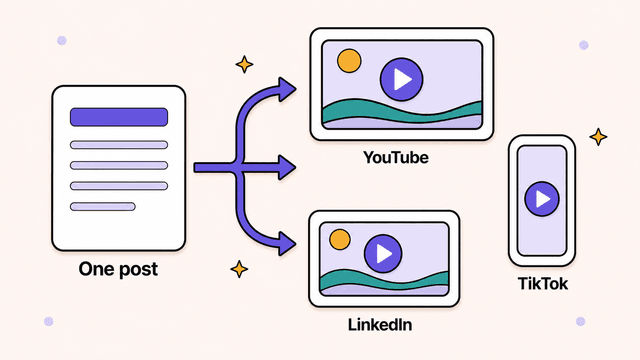
To repurpose a blog post into a video, follow six steps: pick a proven post, pull out its skeleton, write a tight script, generate the video, cut the shorts, and publish across platforms. The full path takes one afternoon and runs from a published article to a video you can post today.
-
Pick the post. Start with a proven how-to, listicle, or explainer. Higher existing traffic means higher demand for the topic.
-
Pull out the skeleton. Copy the headline, the main point, and the key steps into a fresh doc. Ignore everything else for now.
-
Write the script. Cut to 400 to 600 words. Rewrite for the ear, add a hook up top, and end with a takeaway. Read it aloud once to catch anything clunky.
-
Generate the video. Paste your script into Skiddee, pick a voice and a visual style, and click generate. Skiddee creates custom illustrations for every scene (not stock clips, not a generic avatar), adds AI voice-over and transitions, and assembles the finished video. It follows your script word-for-word, so your blog's points survive into the video instead of getting diluted. Most videos are done the first time, in minutes.
-
Make the shorts. Take the two or three sharpest moments from your script (one listicle tip, one surprising stat, one before-and-after) and generate short vertical versions. For ideas on what to clip, these AI short-form video ideas work well as a starting point. Now you have a long video plus a handful of clips from a single post.
-
Publish everywhere. Upload the long version to YouTube with the post's keyword in the title. Embed it back on the original blog post to lift time-on-page. Post the shorts to TikTok, Reels, and LinkedIn over the following week.
That's one afternoon of work turning a single article into a full week of multi-platform content.
A note on cost
Repurposing blog posts into videos costs as little as ~$1.20 per minute of video on a monthly plan with Skiddee. Credits never expire, so you can convert posts whenever you have them rather than racing a monthly clock. The free tier gives you 1,500 credits, about 3–4 minutes of video, no card, to see whether the format works for your audience before you spend anything. After that there's a one-time $15 prepaid pack for 4,500 credits with no subscription, or monthly plans from $29 if you publish regularly.
Try Skiddee free
Your first 1,500 credits, about 3–4 minutes of video, are on us. Paste a script, pick a voice and style, and get a finished narrated video back, no editing skills required.
FAQ
How long should a video made from a blog post be?
For YouTube, two to five minutes covers most how-tos and explainers well. For TikTok, Reels, and LinkedIn, aim for 15 to 60 seconds and focus on a single point. The same post can feed both: one longer video plus several short clips.
Will the video match what my blog post says?
It depends on the tool. Many generators pad your idea with stock footage or loosely related visuals, and your argument fades. Skiddee sticks to your script word-for-word and generates custom illustrations for your specific text, so the points from your post carry into the video.
Do I need video editing or design skills to do this?
No. The skill that matters is writing a tight script, which you already have most of in your post. Skiddee handles the illustrations, voice-over, transitions, and assembly. You paste the script, pick a voice and style, and get a finished video back.
How many videos can I get from one blog post?
Usually one long-form video for YouTube plus three or four short clips for social, depending on how many distinct points the post makes. Listicles and step-by-step guides tend to yield the most, since each item or step can become its own short.
Start with one post
You don't need a content strategy overhaul. Pick your best-performing how-to, cut it into a script, and turn it into a video this afternoon. If it earns views on a channel your blog never reached, run the next post.
Got a post worth more reach? Turn it into a video.
About the author
Suyin Kee is Co-founder of Skiddee, an AI tool that turns scripts into illustrated animated videos. She writes about faceless video, creator economics, and AI tooling for educators.