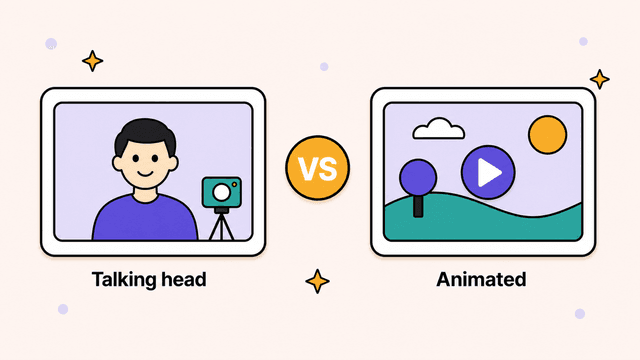
Key takeaways
- Talking head wins on trust and speed when you're building a personal brand and you're already comfortable on camera.
- Animated video wins on clarity, faceless publishing, and volume when your content explains concepts, processes, or anything abstract.
- AI avatars rarely deliver the best of both — the uncanny-valley effect undercuts the very trust a real face is supposed to build.
Match the format to your goal and your niche, not to whatever's trending this month.
On this page:
- What's the difference between a talking head and an animated video?
- When is a talking head video the better choice?
- When is an animated video the better choice?
- What about AI avatars (the synthetic talking head)?
- Talking head vs animated video: which should you use?
- FAQ
The talking head vs animated video question comes up the moment you decide to make videos. Do you put your face on camera and talk to the lens? Or do you build something visual that explains the idea without you in frame? Both work. Both have real costs. The right answer depends less on which one looks trendier and more on what you're trying to accomplish, what niche you're in, and how comfortable you are being the product.
This is a fair comparison, not a pitch in disguise. By the end you'll have a clear way to decide, plus an honest look at where each format falls short. We make animated illustrated videos at Skiddee, so we'll tell you where that fits too, but only after the trade-offs are on the table.
What's the difference between a talking head and an animated video?
A talking head video puts a real person on camera to speak directly to the viewer. An animated video carries the message with illustrations and voice-over instead of a presenter. One trades on a human face for trust and speed. The other trades on visuals for clarity and scale.
A talking head is what it sounds like: a person sits or stands in front of a camera and speaks. Most YouTube tutorials, founder updates, course intros, and hot-take videos are talking heads. An animated or illustrated video uses voice-over narration over drawn or designed scenes. Explainers, educational breakdowns, and most faceless channels live here. The rest of this comparison digs into when each one is the right call.
| Talking head | Animated video | |
|---|---|---|
| Best for | Personal brand, commentary, coaching | Explaining concepts, faceless channels |
| Builds trust through | A real human face | Clear visuals and voice |
| Production speed | Fast if you're comfortable on camera | Fast once you have a style and workflow |
| Setup needed | Camera, lighting, mic, background | A script and a tool or animator |
| Ages | With you and your room | Stays current longer |
| Faceless | No | Yes |
When is a talking head video the better choice?
A talking head wins when human connection matters more than visual explanation. Think personal brands, commentary, coaching, anything where you want viewers to follow you, not just your topic. It's also the fastest format to produce if you're already comfortable on camera.

The big advantage is trust. People connect with faces. When a viewer watches you explain something, they read your tone, your hesitation, your enthusiasm. That builds a parasocial bond that's hard to fake with any other format. If you're building a personal brand, selling coaching, or want an audience that feels like they know you, talking head is the most direct path.
It's also fast to produce when you're comfortable on camera. No storyboard, no asset library. You write a few notes, hit record, talk, and you have raw footage in the time it takes to say it. For of-the-moment commentary, nothing beats it.
The downsides are just as real:
- You need a face, a camera, and a setup. Lighting, a decent mic, a background that isn't your laundry pile. If you hate being on camera, every video is a small ordeal, and that friction kills consistency.
- Editing is hard. Cutting a 10-minute talking head down to something tight means watching yourself stumble, removing filler, and matching jump cuts. Most creators dread it.
- It ages with you. Your haircut, your office, your weight, the era of the room. Re-recording one outdated line means re-shooting the whole scene to match.
- It isn't faceless. If you want a brand that scales past one person, or you don't want to be recognizable, talking head locks you in.
When is an animated video the better choice?
An animated video wins when you need to explain something, whether that's a concept, a process, data, or anything abstract. It also wins when you want to stay faceless and publish at volume. Visuals can show what a face can't.

Think explainers, educational breakdowns, product walkthroughs, and most faceless YouTube channels. The narration is voice-over, and what's on screen is drawn, designed, or animated. Abstract ideas read better as pictures than as a person describing them. How money moves through a system. What happens inside a cell. Education and explainer content lives here for a reason.
Other real advantages:
- It's faceless. No camera, no setup, no being recognized at the grocery store. Anyone can publish without ever appearing, which is why it's the default for starting a faceless YouTube channel.
- It batches well. Once you have a style and a workflow, you can build a backlog without booking studio time or fixing your hair. Output scales with your script writing, not your on-camera stamina.
- It doesn't age the same way. A clean illustrated style stays current far longer than footage of you in a specific room in a specific year. Updating a line means swapping a scene, not re-shooting.
The honest downsides:
- Less personal connection. A drawing doesn't build the same one-to-one bond a face does. For personal brands, that's a real loss.
- Quality depends on the tool or animator. Bad animation looks cheaper than a plain talking head. Hiring a motion designer is expensive and slow. Cheap stock-clip animation looks generic. The format is only as good as how it's made.
Try Skiddee free → Skiddee turns each script into a finished narrated video in minutes. Free to try, no credit card.
What about AI avatars (the synthetic talking head)?
AI avatars are a third option worth naming, but they rarely deliver the best of both worlds. They're synthetic talking heads: a generated or cloned person reads your script to camera, so on paper you get a face for connection with no recording. If you're weighing avatar tools specifically, it's worth reviewing the best Synthesia alternatives before you commit to one.
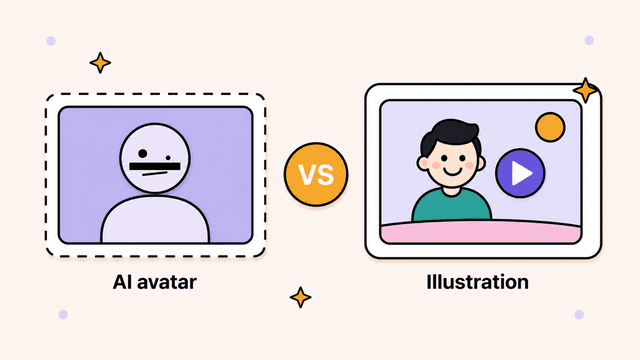
In practice, most viewers can tell. The mouth timing is slightly off, the eyes don't quite track, the gestures loop. That uncanny-valley effect can do the opposite of what a real face does. Instead of building trust, it quietly signals "this isn't a real person," which undercuts the whole reason you'd want a talking head. The tech is improving, but for now an AI avatar often gets you a talking head's weaknesses without its strengths. If you want a face, a real one still wins. If you're fine without one, an honestly animated video usually reads better than a not-quite-right synthetic person.
Talking head vs animated video: which should you use?
Match the format to your goal and your niche, not to whatever's trending this month. Pick talking head when connection and speed matter most. Pick animated when clarity, faceless publishing, and consistent volume matter more.
Pick talking head if:
- You're building a personal brand and want people to follow you, not just your topic.
- You're comfortable on camera and have a basic setup already.
- Your content is opinion, commentary, or relationship-driven, like coaching or a personality-led channel.
- Speed and authenticity matter more than polish.
Pick animated or illustrated if:
- You're running a faceless channel or don't want to be on camera.
- Your content explains concepts, processes, data, or anything abstract.
- You're an educator, founder, nonprofit, or short-form creator who needs to publish consistently without a production day each time.
- You want to batch output and keep a consistent look across dozens of videos.
A quick gut-check by niche:
- Personal brand, life advice, reaction content → talking head.
- Tutorials and software demos → either works. Screen recording plus a talking-head intro is common, but an illustrated explainer scales better.
- Education, finance, science, history, how things work → illustrated, almost every time.
- Nonprofit storytelling and cause explainers → illustrated, so the message isn't tied to one spokesperson.
You don't have to choose forever. Plenty of creators run a talking-head main channel and use illustrated videos for evergreen explainers that would be tedious to film.
Where Skiddee comes in
If the framework points you toward animated, the next hurdle is usually production cost and time. That's the problem Skiddee solves. You paste a script, pick a voice and a visual style, and it generates custom illustrations for every scene, AI voice-over, and transitions, then assembles the finished video in one click. The illustrations are drawn for your script, never stock footage, so the video matches what you're saying instead of approximating it with generic clips. If you're new to the format, our walkthrough on how to make an explainer video covers the scripting and structure side.
It's built for the people the framework above lands on animated: faceless YouTubers, short-form creators, founders, educators, and nonprofits who need to ship consistently without learning design or editing. Pricing is credit-based, credits never expire, and it runs as little as ~$1.20 per minute of video on a monthly plan. You can start free with 1,500 credits, about 3–4 minutes of video, before deciding anything. After that there's a one-time $15 prepaid pack for 4,500 credits with no subscription, or monthly plans from $29.
The honest version: if you want a personal face and a personal bond, record yourself. If you want to explain ideas clearly, stay faceless, and produce at volume, an illustrated video is usually the better tool, and a finished one shouldn't take you a weekend.
Try Skiddee free
Paste a script, pick a voice and a visual style, and Skiddee generates custom illustrations, narration, and a finished video in minutes. Your first 1,500 credits, about 3–4 minutes of video, are on us — no credit card needed.
FAQ
Can you mix both formats on one channel?
Yes, and many creators do. A common setup is a talking-head main channel for commentary plus illustrated videos for evergreen explainers that would be tedious to film. You're not locked into one format forever.
Do animated videos perform worse on YouTube?
No. Performance comes down to whether the format fits the content. A clear illustrated explainer can hold attention better than a rambling talking head, and a charismatic on-camera creator can outperform flat animation. The format is a tool. Execution decides the outcome.
Why do AI avatars look fake?
Mouth timing is slightly off, eyes don't quite track, and gestures loop, which creates the uncanny-valley effect. Many viewers sense the presenter isn't real, and that erodes the trust a face is supposed to build. The tech is improving but isn't fully there yet.
How much does it cost to make an animated video?
It ranges widely. Hiring a motion designer can run hundreds to thousands per video. AI illustrated-video tools bring that down a lot. With Skiddee it runs as little as ~$1.20 per minute on a monthly plan, and you can try it free before paying anything.
About the author
Suyin Kee is Co-founder of Skiddee, an AI tool that turns scripts into illustrated animated videos. She writes about faceless video, creator economics, and AI tooling for educators.