Key takeaways
- Three realistic paths exist today: template tools cost your time, hiring costs $1,500 to $10,000+, and AI illustrated video asks only for a script.
- AI illustrated video turns a script into finished narrated video in minutes, drawing custom illustrations scene by scene instead of reusing a shared template library.
- AI illustrated video runs as little as ~$1.20 per minute on a monthly plan, and the free tier covers about 2–3 minutes of video at no cost.
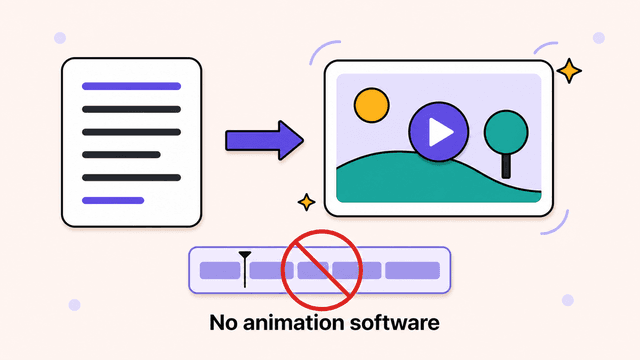
You no longer need to draw, rig, or learn After Effects to make an animated video; you need a script and a tool that handles the rest.
You have an idea worth animating. A product explainer, a YouTube essay, a lesson for your students. Then you hit the wall everyone hits. You can't draw, you've never opened After Effects, and you have no interest in spending three months learning. So you give up on the idea, or you slap it together with stock clips that look like everyone else's.
Making animated videos without animation skills is now a real option, not a marketing promise. The tools changed. This guide covers why animation stayed hard for so long, what your three paths are today, what each one asks of you, and a step-by-step way to turn a plain script into a finished animated video.
Why animation used to be off-limits
Animation stayed locked behind four barriers at once: skill, software, time, and cost. Most people got stuck on the first one and never reached the others. The trouble wasn't ambition. Every path demanded a skill you didn't have or a budget you didn't have.
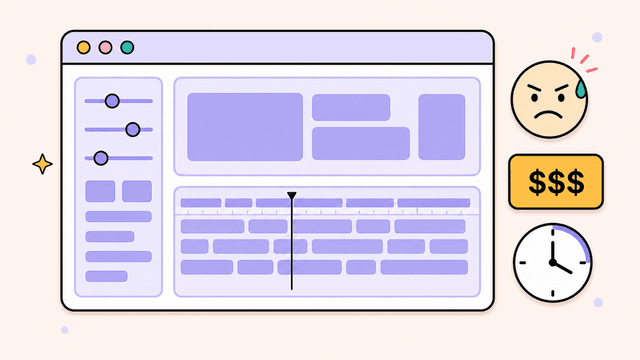
Skill. Traditional animation means drawing, rigging characters, keyframing motion, and understanding timing and easing. That takes years of practice, not a weekend tutorial.
Software. After Effects, Toon Boom, and Blender are powerful and genuinely hard. Steep learning curves, dense interfaces, manuals the size of a phone book. Even motion graphics designers specialize, because no one masters all of it. Animation is also only one route to video, separate from filming yourself. That choice is its own decision, weighed in talking head vs animated video.
Time. A polished two-minute explainer could eat 40 to 80 hours of work. For a solo creator or a founder with a day job, that math never works.
Cost. Hiring it out solves the skill problem and creates a money problem. A custom animated explainer from a studio runs $3,000 to $10,000, and revisions cost extra.
Your options today, and what each one asks of you
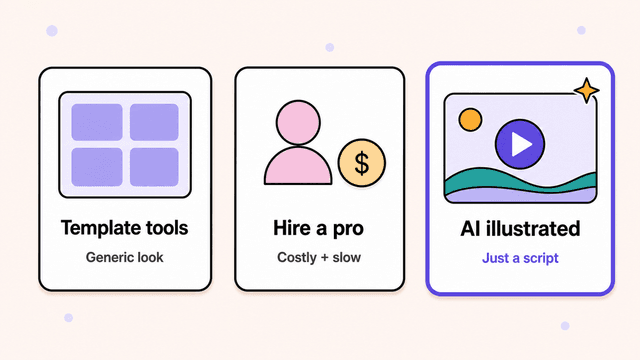
Three realistic paths exist now: template tools, AI illustrated video, and hiring a pro. The barrier dropped, but not evenly. Each path trades something different. Template tools take your time, hiring takes your money, and AI illustrated video asks for neither, as long as you can write a script.
Template-based tools (Powtoon, Vyond, Animaker)
Template tools give you a library of pre-built characters, props, and scenes that you drag onto a timeline. You assemble rather than animate, and they ask more of you than the marketing suggests. You pick scenes, position elements, sync them to your voiceover, and adjust timing for every beat. Expect a few hours per video, plus a real learning curve to get there. The bigger catch is the output. Everyone draws from the same asset library, so Vyond videos look like Vyond videos. Your finished piece blends in with thousands made the same way. Fine for internal training decks. Hard to stand out with on a public feed.
AI illustrated video (like Skiddee)
AI illustrated video takes a script and generates the visuals, the voiceover, and the assembly for you. No timeline, no asset library, no dragging. It asks for a script and a few taste decisions, like voice and visual style. The distinction that matters: a tool like Skiddee draws custom illustrations for your specific script, scene by scene, instead of pulling from a shared template library or generic stock. Two people writing about the same topic get different videos. The tradeoff is that you direct rather than hand-place every element. If you need a specific character to wink at frame 47, this isn't the tool for that control. For explainers, faceless YouTube content, lessons, and founder updates, you rarely need that anyway. If an explainer is your goal, here's how to make an explainer video from start to finish.
Hiring a freelancer or studio
Hiring a pro is still the right call for a flagship brand film where every frame is art-directed. It asks for budget ($1,500 to $10,000+), a clear brief, and patience for revision rounds that stretch across weeks. You also need enough vocabulary to give useful feedback, a small skill of its own. Worth it once or twice a year for a hero piece. Not viable when you want to publish weekly.
Try Skiddee free → Skiddee turns each script into a finished narrated video in minutes. Free to try, no credit card.
How to make an animated video from just a script
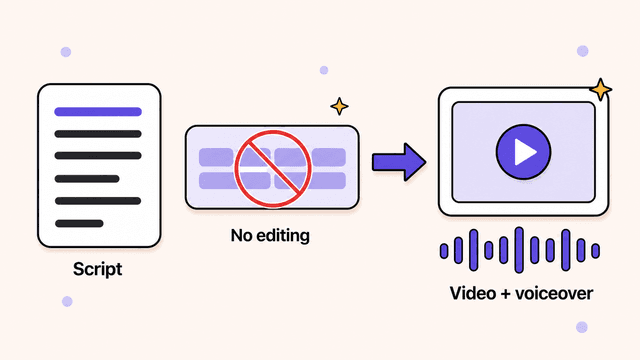
You can make an animated video from a script in five steps: write the script, pick a voice, pick a visual style, generate, then review and ship. No timeline, no keyframes, no drawing. The walkthrough below uses AI illustrated video as the example.
1. Write or paste your script
Start with what you want to say. Use a blog post you already wrote, a rough outline, a transcript of you talking into your phone, or a fresh 150 to 300 words for a one-minute video. Write it the way you'd say it out loud. Short sentences carry better in voiceover than long ones. Roughly 150 words of script equals about one minute of finished video.
2. Pick a voice
Choose an AI narrator that fits your topic. A calm, measured voice suits an educational piece. A brighter one suits a product launch. Listen to a sample before you commit, so the tone matches your content.
3. Pick a visual style
Your visual style is the one creative decision that shapes the whole look: hand-drawn, flat illustration, or something bolder. With a custom-illustration tool, the style stays consistent across every scene, and the drawings get generated for your script rather than picked from a shelf. That's what keeps your video from looking like the last ten someone made with the same software.
4. Generate
Click once, and the tool does the rest. It reads your script, breaks it into scenes, draws a custom illustration for each one, records the voiceover, adds transitions, and assembles a finished video. This step used to be 40 hours of manual labor. Now it's a few minutes of render time while you wait.
5. Review and ship
Watch it through, tweak, and publish. Because the visuals come from your script, a good tool gets you a usable result on the first pass instead of a rough draft you have to rebuild. Fix a line of script or swap a scene if something's off, then download and ship. Done is done.
What it costs
Skiddee runs as little as ~$1.20 per minute of video on a monthly plan, and the free tier gets you started at no cost. The free tier includes 1,500 credits, about 3–4 minutes of video, no card, to test whether the output works for you. After that, a one-time $15 prepaid pack gets you 4,500 credits with no subscription and credits that never expire, or monthly plans from $29 if you publish regularly. Compare that to a few thousand dollars and a multi-week wait for a freelance equivalent.
Try Skiddee free
Your first 1,500 credits, about 3–4 minutes of video, are on us. No subscription, no credit card, and the credits never expire.
FAQ
Do I need any design or editing experience to make an animated video?
No. With AI illustrated video you provide a script and pick a voice and style. The tool handles the illustration, narration, transitions, and assembly. Template tools like Powtoon do ask you to position elements and sync timing, which is closer to light editing, but the AI route removes that.
Will an AI-made animated video look generic?
It depends on the tool. Template-based tools pull from shared asset libraries, so output tends to look similar across users. Skiddee generates custom illustrations for your specific script instead of reusing stock or templates, so your video reflects your content rather than a library everyone else also uses.
How long does it take to make an animated video this way?
Minutes, not hours. Paste your script, choose a voice and style, and generate. The rendering and assembly happen automatically, so the time you spend is mostly writing the script and reviewing the result.
Is this good enough for YouTube or just internal use?
It's built for public content. Short-form creators, educators, and founders use this format for videos meant to be published and watched, not just internal training. It's a common starting point for people starting a faceless YouTube channel who want a consistent visual style without going on camera. The custom-illustration approach aims squarely at standing out in a public feed.
Make your first one
You don't need to learn animation to make animated videos anymore. You need a script and a tool that does the rest. If you've been sitting on an idea because production felt out of reach, try turning it into a video and see what comes back on the first pass.
About the author
Suyin Kee is Co-founder of Skiddee, an AI tool that turns scripts into illustrated animated videos. She writes about faceless video, creator economics, and AI tooling for educators.