
Key takeaways
- Six tools cover most of what creators reach for in 2026: Synthesia and HeyGen (AI avatars), Pictory (stock footage), Skiddee (illustrated explainers), InVideo AI (templated promo), and Agent Opus (one-click social video).
- Output style is the decision that locks in everything else. Pick the format you want before you pick the tool.
- Prices on this shortlist run from $15/mo (Agent Opus) to $48/mo (InVideo Max). Most creators settle into the $20 to $30 range.
Top AI Video Tools Comparison
| Tool | Output style | Starting price | Best for |
|---|---|---|---|
| Synthesia | AI talking-head avatars | $29/mo | Multilingual corporate training |
| HeyGen | AI avatars + personal clones | $29/mo | Personalized 1:1 video outreach |
| Pictory | Stock-footage matching | $25/mo | Blog-to-video, long-video summarization |
| Skiddee | Illustrated explainers, narrated | $20/mo | Course creators, educators, faceless YouTube |
| InVideo AI | Templated AI + timeline editor | $20/mo (annual) | Marketing and promo videos |
| Agent Opus | Mixed AI motion graphics, avatars, stock | $15/mo | One-click script-to-social-video for creators |
Reviews below cover what each tool does well, where it falls short, and who it's really for.
Considering a cartoon character workflow? Our Skiddee vs Animaker comparison explores narrated illustrations, character animation, editing controls, and pricing considerations.
What to look for in an AI Video Tool
Five things shape the choice.
- Output style. Illustrated explainer, AI avatar, stock-footage matching, or templated animation. Pick the format first; pick the tool second.
- Time from script to finished video. Some tools publish in minutes. Others assume hours in a timeline editor. Both can work, depending on your cadence.
- Voice quality. Built-in narration is faster. Bring-your-own gives you control if you already have a voice in mind.
- Pricing model. Some tools cap minutes per month, others bill flat. Minute caps add up fast at weekly cadence.
- Visual originality. Stock libraries and templates are shared across every user, so outputs start to look similar. Generative tools produce videos that don't.
1. Synthesia — Best for multilingual corporate training
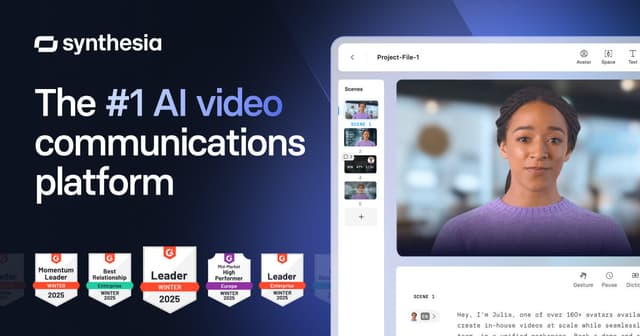
- Output style: AI talking-head avatars on stock or template backgrounds.
- Starting price: $29/mo Starter (10 min/mo cap), $89/mo Creator.
- Best for: Corporate L&D, internal training, and onboarding in many languages.
Synthesia owns the corporate avatar space. Compliance training, sales enablement, exec announcements, and anything that needs to ship in 30+ languages without re-recording all work well here. With 140+ languages supported, multilingual is where it pulls ahead of everyone else.
The fit is narrow, though. Illustrated explainer content and faceless YouTube don't suit it, and creator-economy audiences have grown tired of AI avatars. The 10-minute cap on Starter also gets expensive once you publish weekly.
2. HeyGen — Best for personalized 1:1 video outreach

- Output style: AI avatars including personal clones, plus video translation.
- Starting price: $29/mo Creator, $89/mo Team.
- Best for: Sales outreach with personalized video, founder updates, and multilingual product walkthroughs.
HeyGen overlaps with Synthesia but leans into personalization. You can clone yourself, generate "Hi {firstName}, I noticed {company}..." videos at scale, or translate an existing recording into another language with lip-sync intact.
It hits the same wall Synthesia does on avatar fatigue. If your visual needs to teach a concept rather than deliver a message, an illustration-first tool will serve you better.
3. Pictory — Best for blog-to-video repurposing
- Output style: Stock footage matched to script keywords, with captions.
- Starting price: $25/mo Starter, $49/mo Professional.
- Best for: Turning blog posts, podcasts, or long video into short captioned social clips.
Pictory was one of the first script-to-video tools and still does its core job well: take a blog post or long video and produce short captioned clips with matched B-roll. The text-based editor stays out of the way.
It works best when stock footage genuinely fits your topic, which is true for travel, food, fitness, and real estate. Abstract or conceptual content is harder. The stock library is also shared across every user, so distinct visual identity isn't on the table.
4. Skiddee — Best for illustrated explainer videos from a script
Replacing an older video maker? Our Moovly alternative guide explains the current availability concerns, compares Moovly's historical workflow with Skiddee, and shows how to restart from a saved script.
- Output style: Custom AI illustrations per scene, with built-in narration.
- Starting price: ~$20/mo.
- Best for: Course creators, educators, and faceless YouTube creators in explainer niches.
Skiddee turns each script into a narrated illustrated video, one bespoke illustration per scene. That's its whole job. It suits topics where the visual needs to carry meaning — finance, philosophy, science — and series benefit because the style holds steady across episodes.
It isn't the right pick for talking-head presenter videos (use Synthesia or HeyGen) or templated marketing content (use InVideo).
5. InVideo AI — Best for templated marketing and promo videos
- Output style: AI-driven template fills with stock footage plus a timeline editor.
- Starting price: $20/mo Plus, $48/mo Max (annual rates).
- Best for: Product highlights, social ads, real estate listings, and anything where a polished template is the format.
InVideo is a templated editor with AI features bolted on. The AI fills a template from a script or prompt and drops you into a timeline for polish. Treat it as an editor with AI help rather than an AI-first generator.
Marketing and promo videos are its sweet spot, especially branded social content where logos and brand colors matter. Illustrated explainer content isn't its strength, and the templated look is recognizable from a distance.
6. Agent Opus — Best for one-click script-to-social-video for creators

- Output style: Mixed AI motion graphics, generated visuals, animated avatars, and stock footage with auto-generated voiceover. Stylized looks (collage, claymation, plastic-block, cinematic) sit alongside standard motion graphics.
- Starting price: Free tier (60 credits/mo, watermarked). Starter $15/mo, Pro $29/mo (or $14.50/mo annual).
- Best for: Social-media creators and marketers who want an end-to-end pipeline tied into the Opus / OpusClip ecosystem.
Agent Opus is the script-to-video agent from Opus.pro. Hand it a script, prompt, or blog URL and it stitches voiceover, AI visuals, avatars, and stock clips into a finished post. Vertical, square, and widescreen export cleanly, which makes publishing across TikTok, Reels, and Shorts straightforward.
The trade-off is visual cohesion. Because outputs mix stock, avatars, and varied AI styles, building a recognizable show look across a series is harder. Per-scene art control isn't the focus either, and credit limits start to bite on longer projects.
How to actually pick
The best tool depends on two questions.
1. What should the finished video look like?
| If you want… | Use |
|---|---|
| Talking-head avatar | Synthesia, HeyGen |
| Stock footage with captions | Pictory |
| Illustrated explainer scenes | Skiddee |
| Templated marketing or promo | InVideo AI |
| One-click short-form social video | Agent Opus |
2. How often will you publish?
Weekly or more, pick a generator (Skiddee, Pictory, Agent Opus). Per-video time cost becomes the binding constraint.
Monthly or less, InVideo's timeline pays off because polish matters more than throughput at low volume.
Most new creators start with the tool and figure out the format later. Reverse it. Pick the format, then the tool, then commit for at least 20 videos before reconsidering.
Try Skiddee for illustrated explainers
If illustrated explainer is your format and you publish more than once a week, Skiddee turns each script into a finished narrated video in minutes. Free to try, no credit card.
FAQ
What's the best AI tool to turn a script into an animated video?
It depends on the output style. Illustrated explainer scenes: Skiddee. AI avatars: Synthesia or HeyGen. Stock-footage compilations: Pictory. Templated promo: InVideo AI. Short-form social: Agent Opus.
Are there free AI tools that turn scripts into animated videos?
Most tools on this list have a free tier with watermarks or export limits. Skiddee, Pictory, and Agent Opus have the most useful free trials for testing. None of the free tiers hold up for ongoing publishing.
Can AI animated video tools replace a video editor?
For generator-style tools (Skiddee, Pictory's AI flow, Agent Opus), yes; you can publish without touching a timeline. For editor-style tools (InVideo), the timeline is still part of the workflow. Decide which side of that line you want to be on before you pick.
Which AI video tool is cheapest?
Agent Opus at $15/mo (or free with watermarks). Skiddee at $20/mo. Pictory at $25/mo. Synthesia and HeyGen at $29/mo with minute caps.
Do these tools work for faceless YouTube channels?
Yes, particularly Skiddee (illustrated explainers), Pictory (stock-footage compilations), and Agent Opus (mixed AI/stock short-form). For more on the format, see our guide to starting a faceless YouTube channel in 2026.
Sources
Pricing reflects each tool's publicly listed pricing as of the publish date and changes often. Verify before you buy.
Synthesia pricing · HeyGen pricing · Pictory pricing · Skiddee pricing · InVideo pricing · Agent Opus pricing
About the author
Suyin Kee is Co-founder of Skiddee, an AI video tool that turns scripts into illustrated animated videos. She writes about AI video tooling, creator economics, and building products people actually use. Connect on LinkedIn or X.